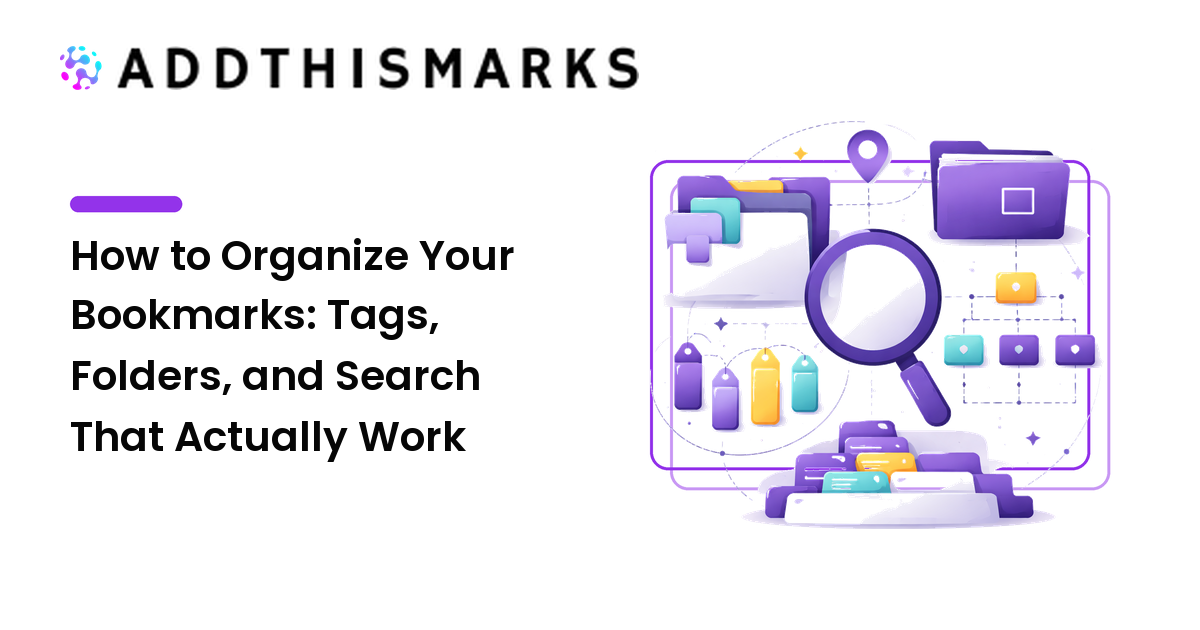
Saving links is easy. Finding the right one three months later, out of a thousand, is the hard part — and it's entirely a question of organization. A big collection without structure isn't an asset; it's a haystack. The good news is that organizing links well takes less effort than people assume, as long as you pick the right structure up front and keep it light. This guide covers when to use tags versus folders, how to name and structure links so they surface, and the search workflows that turn a pile into a library.
The short version: lean on tags rather than deep folders, keep a small and consistent vocabulary, write titles and notes for your future self, and treat search as the main way you retrieve — then organization just has to make search work.
Organize for finding, not for filing
The mistake behind most messy collections is organizing the way a filing cabinet works: one item, one place, sorted into ever-deeper folders. That feels tidy at first and breaks down fast, because real links belong to several topics at once and you rarely remember the exact path you filed something under.
A better mental model is a search index. Your job isn't to put each link in its one true home — it's to attach enough labels and clear text that you can find it later by any route you might think of. Every decision below follows from that shift.
Tags vs folders: which to use
Both have a place, but for a large, growing collection, tags should do most of the work.
- Tags let one link carry several labels — a saved article can be
react,tutorial, andread-laterat once. They match how you actually recall things ("that React tutorial I meant to read") and they scale without forcing you to choose a single category. - Folders are single-location by nature. They're fine for a handful of stable, mutually exclusive buckets —
Work,Personal, a specific active project — but a deep folder tree becomes a maze you stop maintaining.
The reason to favor tags is purely practical: they fail more gracefully. Forget which folder something is in and it's lost; forget one of its tags and the others still find it. If your tool supports both, use a few broad folders for big life areas and tags for everything else.
Keep your tag vocabulary small and consistent
Tags only help if they're consistent. The common failure is tag sprawl — js, javascript, and JavaScript as three separate tags that each hold a third of what you want. To avoid it:
- Write down a core set of five to ten tags you'll reuse, and add new ones sparingly.
- Pick one form and stick to it — all lowercase, singular or plural but not both, hyphens for multi-word tags (
read-later). - Combine broad plus specific. A type tag (
reference,tutorial,tool) plus a topic tag (design,python,client-x) lets you filter from two directions. - Reserve a few status tags like
read-laterorarchiveso you can separate what you've processed from what you haven't.
A small vocabulary you apply consistently beats a sprawling one you apply at random.
Name and annotate so search can find it
Search is only as good as the text it has to work with, and many saved pages arrive with useless titles like "Home" or "Untitled." Spend the five seconds at save time:
- Rewrite cryptic titles into something you'd actually search for — include the product or topic name, not just the brand.
- Add a one-line note on why you saved it ("compare pricing later," "method for the thesis"). Notes are searchable and jog your memory.
- Capture key terms you'll think of later. If you saved a tool for "removing image backgrounds," put those words somewhere on the entry even if the page calls it something fancier.
This is the highest-return habit in the whole system, because it's what makes the next section work. It pairs directly with the saving routine in our practical guide to bookmarking — organize as you save, not in a giant cleanup later.
Search workflows that find anything fast
Once links are tagged and titled well, retrieval becomes fast and predictable:
- Search first, browse second. Type what you remember — a word from the title, a tag, a note — before scrolling. For most collections this is the quickest path by far.
- Stack filters. Combine a topic tag with a status tag (
design+read-later) to narrow a big result down to exactly the set you want. - Save common views. If your tool allows saved searches or smart lists, set up the handful you use often (an active project, your read-later queue) so they're one click away.
- Make search-before-save a rule. Checking first prevents duplicates and reminds you what you already have.
A repeatable organization workflow
- Choose tags as your primary system, with a few broad folders only if you want them.
- Write down a core tag vocabulary and a naming convention before you start tagging in bulk.
- At save time, add one type tag plus one or two topic tags, fix the title, and note why.
- Retrieve by search, stacking tags to narrow results.
- Review periodically — merge duplicate tags, re-tag anything you couldn't find, and prune dead links so search stays clean.
FAQ
Should I use tags or folders for bookmarks?
For a large, growing collection, tags — they let one link belong to several topics and fail more gracefully than a deep folder tree. Keep a few broad folders only for big, stable areas if your tool supports both.
How many tags should I put on each link?
Usually one type tag plus one or two topic tags. Enough to find it from more than one angle, but not so many that tagging becomes a chore you skip.
How do I stop my tags from getting messy?
Keep a written core list, choose one format (lowercase, hyphenated, consistent singular/plural), and add new tags rarely. Periodically merge near-duplicates like js and javascript.
What's the fastest way to find a saved link?
Search by a remembered word from the title, tag, or note, then stack filters to narrow it. Good titles and notes at save time are what make this fast.
Do I need to reorganize everything at once?
No. Fix titles and tags as you save and as you stumble on messy entries. A steady habit keeps the collection usable without a daunting cleanup project.
Next step
Pick tags as your main system and write down five to ten core tags plus a single naming format. Then make two habits automatic: tag and rename every link the moment you save it, and search before you save. Do that and a thousand-link collection stays as findable as a hundred.